Help and safeguards

Frequently asked questions

Understand how EasyConstat works, the evidential value of the documents it produces and the technical limits of the service.

1. What is EasyConstat used for?

EasyConstat creates digital evidence of the presence and content of an online web page at a specific time. The platform operates independently and allows users to request an evidence report directly, at any time.

The service may be useful, for example, where you need to document:

- defamatory or disparaging statements published on a forum, blog, social network or news website;
- publication of a photograph that may infringe privacy or image rights;
- conduct that may harm a business, including trademark misuse, domain-name squatting or calls for a boycott;
- infringement of intellectual or industrial property rights, including copyright infringement, plagiarism or counterfeiting.

You may also use EasyConstat to document your own online publications and establish their prior existence, or to preserve an advertisement, commercial offer or set of terms before it is changed or removed.

If you intend to bring a legal claim, you will generally need evidence of the disputed acts or facts. A standalone screenshot may be insufficient because it does not, by itself, establish the date, public availability or integrity of the captured content. The Paris Regional Court reiterated this point in a judgment of 10 April 2013.

A screenshot does not demonstrate that the device was connected to the Internet at the relevant time, and an image can be altered after capture. EasyConstat therefore records the page together with technical information about the capture environment, source data, digital fingerprints, a signed report and a trusted timestamp.

EasyConstat is not a French commissioner of justice and does not issue an official report having that status. It is a technical evidence service designed to document online content neutrally and traceably. The resulting evidence may be produced before a court in electronic or printed form, subject to the court's assessment.
2. What is the legal value of documents produced by EasyConstat?

French law does not grant commissioners of justice exclusive authority to document content published on the Internet. An official report records facts personally observed by a public officer. Its status gives those observations particular evidential weight, but does not make the document immune from challenge, especially where the applicable procedure has not been followed.

Online evidence involves additional technical requirements. French case law expects precise steps to be taken to demonstrate that the information shown by the capture device was the information actually available on the target website at the stated time.

Those steps are reflected in the AFNOR NF Z67-147 standard. They include describing the capture device, recording its IP address, confirming the absence of an unauthorised proxy, clearing data from earlier browsing sessions and synchronising the device clock with a reliable time source.

EasyConstat is designed to perform and record the relevant technical operations in an automatic, neutral and objective manner. Each report includes a detailed activity log and cryptographic links between the report and the captured material. The report is electronically signed in PAdES-LT format using a qualified AdES-QC certificate and receives a qualified eIDAS timestamp compliant with ETSI EN 319 421.

Under French civil-evidence rules, an electronic document may be admitted in the same way as a paper document where its origin can be identified and it is created and retained under conditions that preserve its integrity. The signatures, timestamps, digital fingerprints and technical logs produced by EasyConstat are intended to support those requirements.

The admissibility and evidential weight of any report remain subject to the sovereign assessment of the court hearing the case. EasyConstat cannot guarantee the outcome of proceedings and does not replace advice from a lawyer.
Note: French case law on online evidence has evolved over time and individual decisions may place different emphasis on particular requirements. For example, a judgment of the Aix-en-Provence Court of Appeal dated 15 September 2016 treated a failure to comply with NF Z67-147 as grounds for invalidity, while a Paris Court of Appeal judgment dated 27 February 2013 accepted direct access to the relevant pages through their URLs. The circumstances of each case therefore remain important.

3. How does the evidence process work?

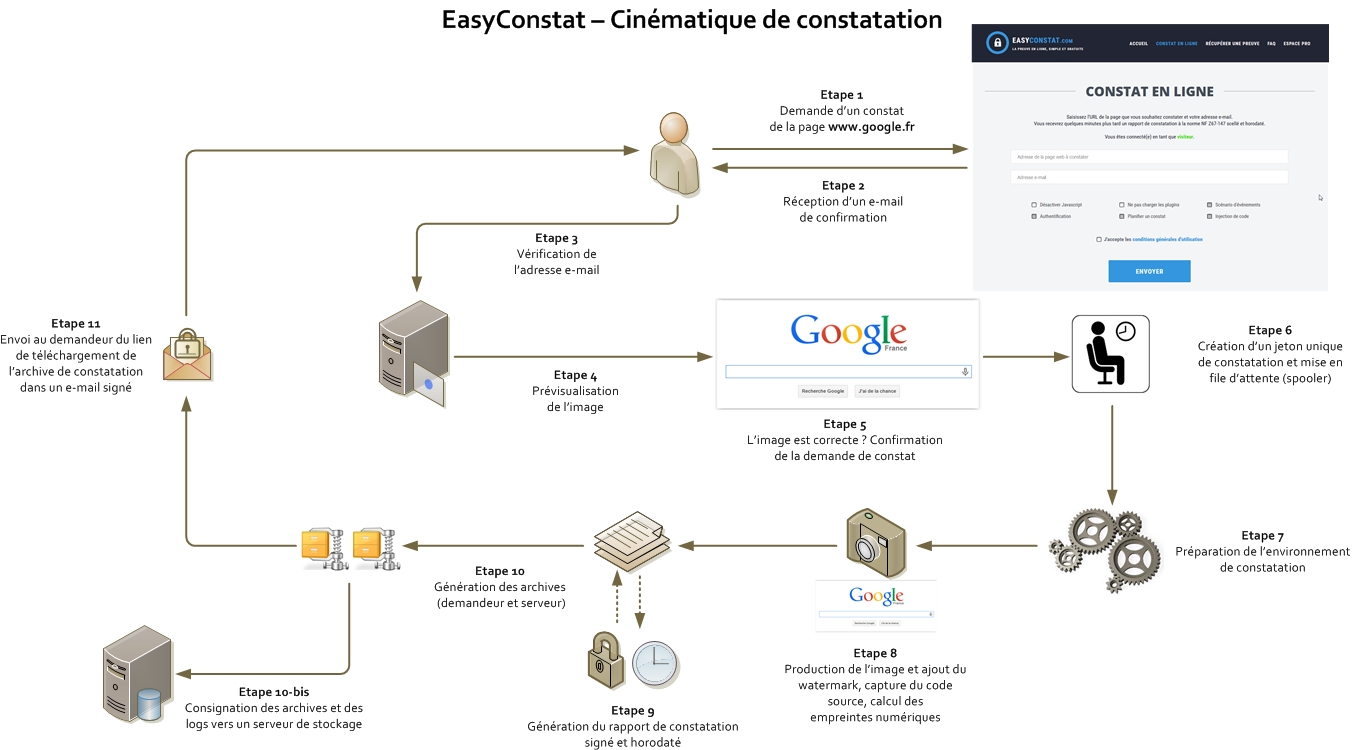
The following diagram describes the functional process. Click the image to open it:

EasyConstat process diagram


Requests are placed in a FIFO queue and are processed according to the available capture channel. The main steps are:

1. Receipt of an evidence-report request;
2. Confirmation sent to the requester by email;
3. Verification of the requester and available credit;
4. Preview or preparation of the target page;
5. Confirmation of the request;
6. Creation of a unique request token and placement in the appropriate queue.

Once processing begins:

7. The capture environment is prepared and documented;
8. The URL, source data and technical exchanges are captured and digital fingerprints are calculated;
9. A report with a unique sequential identifier is generated;
10. The evidence archive and the platform's corresponding server records are produced;
11. The archive is made available to the requester and a notification email is sent.

4. What does the evidence archive contain?

The archive delivered at the end of processing is intended to preserve the complete evidence package. Depending on the type of request, it contains in particular:

1. The signed evidence report

The report records the capture identifier, requester, target URL, date and time, capture environment and technical operations. The full-page capture is appended to the report where applicable.

2. The activity log

This log records the preparation and capture process in chronological order.

3. Source and network evidence

The archive may include the page source, HAR network report and other files generated during navigation.

4. Cryptographic evidence

Digital fingerprints and the signed report create verifiable links between the report and the archived files. Filenames include the unique report identifier.

5. What is a digital fingerprint?

A digital fingerprint, also called a hash, digest or checksum, is a unique condensed representation of information. A one-way hashing algorithm makes it straightforward to calculate a fingerprint from a file but, in practice, impossible to reconstruct the file from the fingerprint alone.

EasyConstat uses SHA-256. The resulting fingerprint is 256 bits, or 32 bytes, long. Unlike the older MD5 algorithm, SHA-256 has no known practical collision affecting this use.

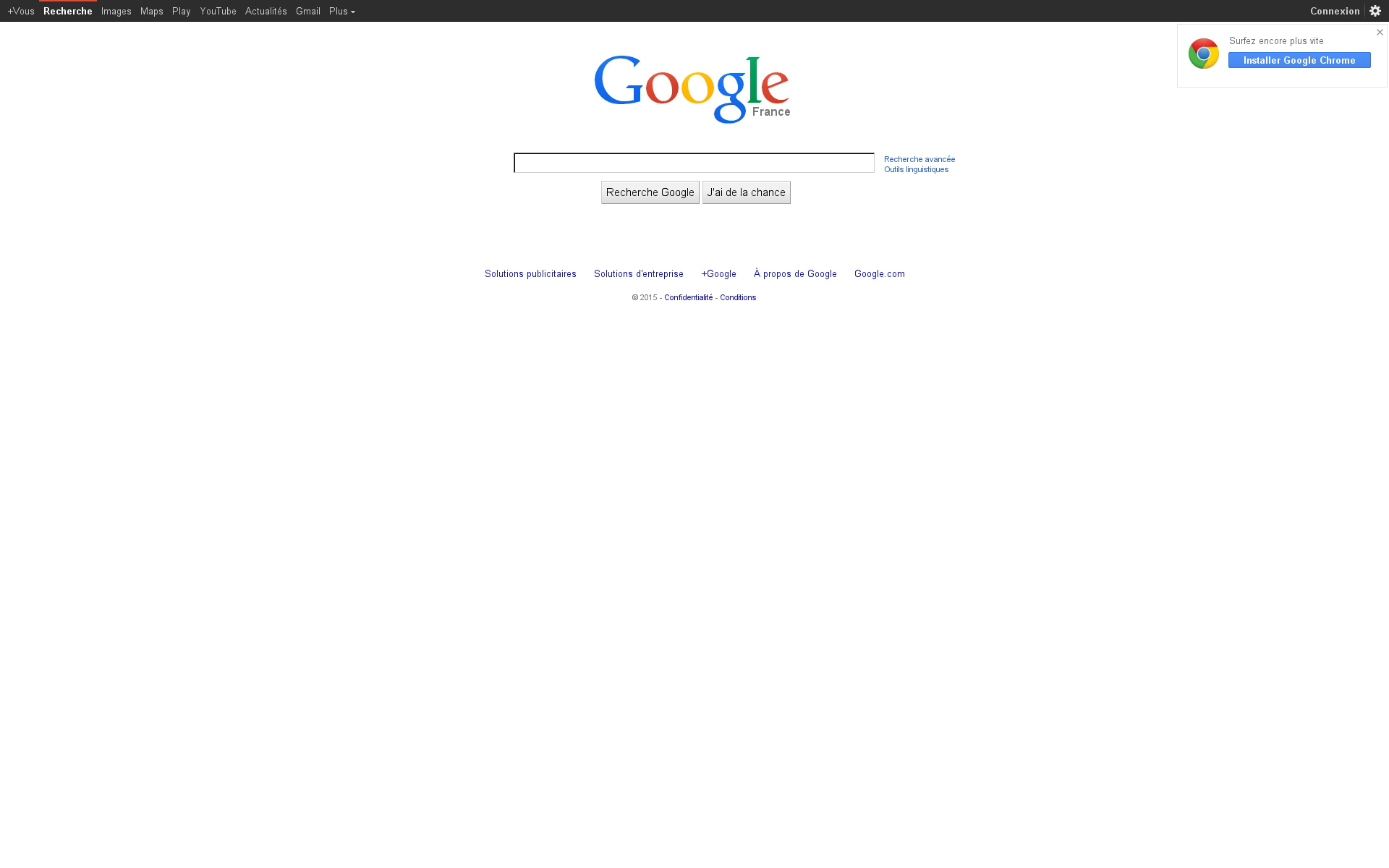
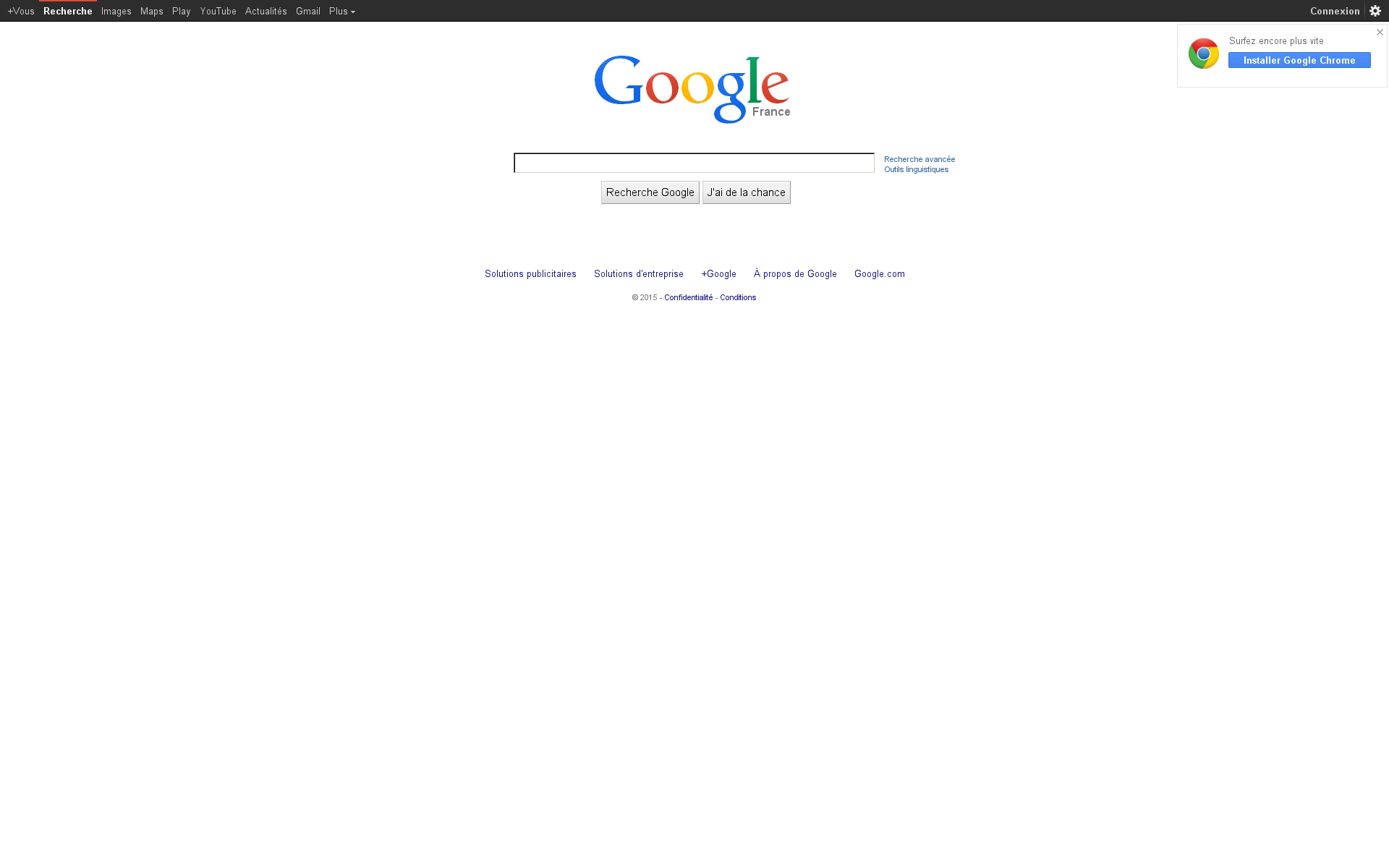
Consider this capture of www.google.fr:

Google example 1

Its SHA-256 fingerprint is:
76b0b4b47acbccabbc11682889917b5d9acfe776b4eab204010059dea2dad8b5

In the following image, only one pixel has been changed near the Google logo:

Google example 2

Its SHA-256 fingerprint is:
557afc2cb25e6266281e6a0dd8f3f8bf68f7832c24b1fee1620f75588cbd0c9b

Even the smallest alteration produces a completely different fingerprint. The fingerprints recorded in the report therefore make subsequent changes detectable and create a cryptographic link between the report and the captured files.

6. What are the specific features of the evidence report?

The report records the information associated with the request and the capture environment. Its sections cover the capture server or node, Internet connection, network configuration, environment preparation, capture information, target domain and electronic certificates.

Except for information that is inherently fixed, the technical data is generated for each new report. Digital fingerprints tie the report to the captured content and archived files.

The report is not an ordinary PDF. It is produced in PDF/A-1B format and electronically signed in PAdES-LT format using a qualified AdES-QC certificate. It also receives qualified eIDAS timestamp evidence compliant with ETSI EN 319 421.


1. PDF/A-1B format

PDF/A is an ISO-standardised archival form of PDF. The “A” stands for archive and “1B” refers to level-B conformance with ISO 19005-1, based on PDF 1.4.

The format is designed to preserve a document's visual appearance over time independently of the tools used to create or display it. Required resources such as fonts, vector graphics and colour information are embedded in the file, while dependencies that could compromise long-term rendering are restricted.

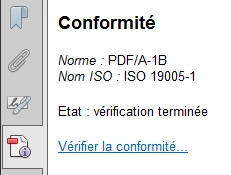
Adobe Reader can display the document's PDF/A status and conformance level:

PDF/A status

PDF/A conformance


2. Electronic signature and PAdES-LT

An electronic signature establishes a link between the document and its signer and makes any subsequent alteration detectable. The signature relies on asymmetric cryptography: a private key controlled by the signer and a corresponding public key contained in an X.509 certificate.

When the document is opened, the reader recalculates its fingerprint and compares it with the signed value. Any change to the document breaks that integrity check.

PAdES-LT adds long-term validation material. The certificate chain and available revocation evidence, such as CRLs and OCSP responses, are embedded in the PDF's DSS and VRI structures. This enables future verification without relying solely on the continued availability of external certificate-status services.

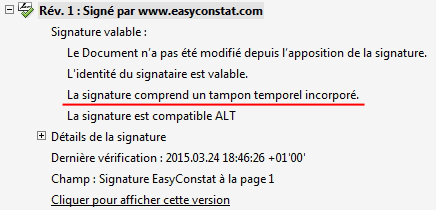
The signatures panel in Adobe Reader can be used to inspect the signature, timestamp and validation material.

3. Qualified trusted timestamp

Time is essential to online evidence. Synchronising the capture device with a reliable NTP source is necessary but does not, by itself, provide independent evidence of time.

EasyConstat therefore obtains a cryptographic timestamp from a trusted timestamp authority. The qualified eIDAS timestamp links the report's fingerprint to an independently certified date and time and complies with ETSI EN 319 421.

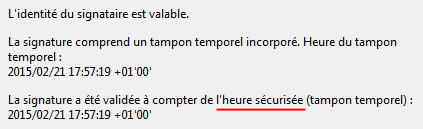
Adobe Reader identifies this evidence as a trusted timestamp and displays the timestamp authority in the signature properties:

Trusted timestamp

Timestamp properties


The combined use of PDF/A, PAdES-LT, embedded validation material and qualified timestamping produces a self-contained document designed for long-term cryptographic verification.

7. What options are available?

Available options depend on the selected channel and the target page.

Automatic channel

The automatic channel is intended for directly accessible web pages and online PDF documents. It includes a preview before confirmation and may offer page-specific capture settings.

Authentication

Some pages require authentication. Where technically and legally appropriate, the operator-assisted channel can navigate a protected page using credentials provided by the requester. Only credentials strictly necessary for the operation should be supplied.

The private nature of protected content may affect the legal characterisation of the facts being documented. You should seek legal advice where this issue is material.

Operator-assisted navigation

Dynamic pages may require clicks, scrolling, opening a gallery, expanding text or completing a particular sequence of actions. The operator-assisted channel allows those steps to be carried out manually and recorded in the navigation log.

Provide a precise URL and clear instructions. If the requested operation requires specific development or preparation, support will first assess feasibility and may issue a quotation.

Scheduled or specialised reports

Scheduled captures, recurring reports and specialised integrations may be arranged after a feasibility assessment and quotation. Use the contact form to describe the requirement.

8. What are the service limitations?

1. Page size and session duration

Extremely long pages, very large documents or lengthy video sessions may exceed technical limits. The applicable limits are shown in the relevant request process or communicated by support.

2. Direct access in automatic mode

The automatic channel works best when the target is accessible through a direct URL. Where access requires a sequence of clicks, form input or scrolling, use the operator-assisted channel.

3. Authentication cannot always be automated

Authentication mechanisms vary from one website to another and may include multi-factor authentication, anti-bot checks or device approval. These mechanisms cannot always be automated reliably. The operator-assisted channel is generally more appropriate in such cases.

4. Fonts, colours and layout may vary

A web page's rendering depends on the browser, operating system, installed fonts and target site's code. Minor differences in fonts, colours or layout may therefore occur. The archived source and technical material provide additional evidence where a rendering detail is significant.

Some websites actively restrict automated or datacentre-based access. EasyConstat cannot guarantee that every third-party website will allow a capture. Contact support if a page cannot be captured correctly.

9. How can limitations be addressed and advanced options accessed?

Contact support and describe the target URL, required navigation and purpose of the report as precisely as possible.

The capture components are modular and can be adapted to many situations. More complex access or navigation may nevertheless require a feasibility assessment, preparation or specific development. Where applicable, a quotation will be issued before work begins.

10. Can EasyConstat be used outside France?

Yes, but the legal analysis may be more complex.

EasyConstat relies on European electronic-signature and trust-service rules, French civil-evidence principles, French case law and the NF Z67-147 technical framework. A report may therefore be useful in a cross-border matter, but the court with jurisdiction and the law applicable to the dispute must still be determined.

Those questions depend on the countries involved, the nature of the dispute, the place where the harmful event occurred or produced its effects, the parties' residence and any applicable international or European rules.

Each case is fact-specific. Preserving evidence promptly is often the first practical step; a lawyer can then advise on jurisdiction, applicable law and how the evidence should be presented.

11. Can EasyConstat prove that a website is not online?

Not conclusively. Failure to reach a website may result from the target server, DNS, routing, a firewall, geographic filtering or the capture device's own connection. A failed connection can be documented, but it does not prove that the website was unavailable to every Internet user at that time.

12. What should I do if I encounter a problem?

If you have difficulty using the service or require additional information, contact support using the contact form. Include the relevant URL, request token or report identifier and describe the problem precisely.